A traffic gauge for your car.
HeadsUp Drive shows live traffic on the road ahead, turned to face the way you’re going. There’s almost nothing to touch — glance at it like your speedometer, and keep your eyes on the road.

For iPhone & iPad
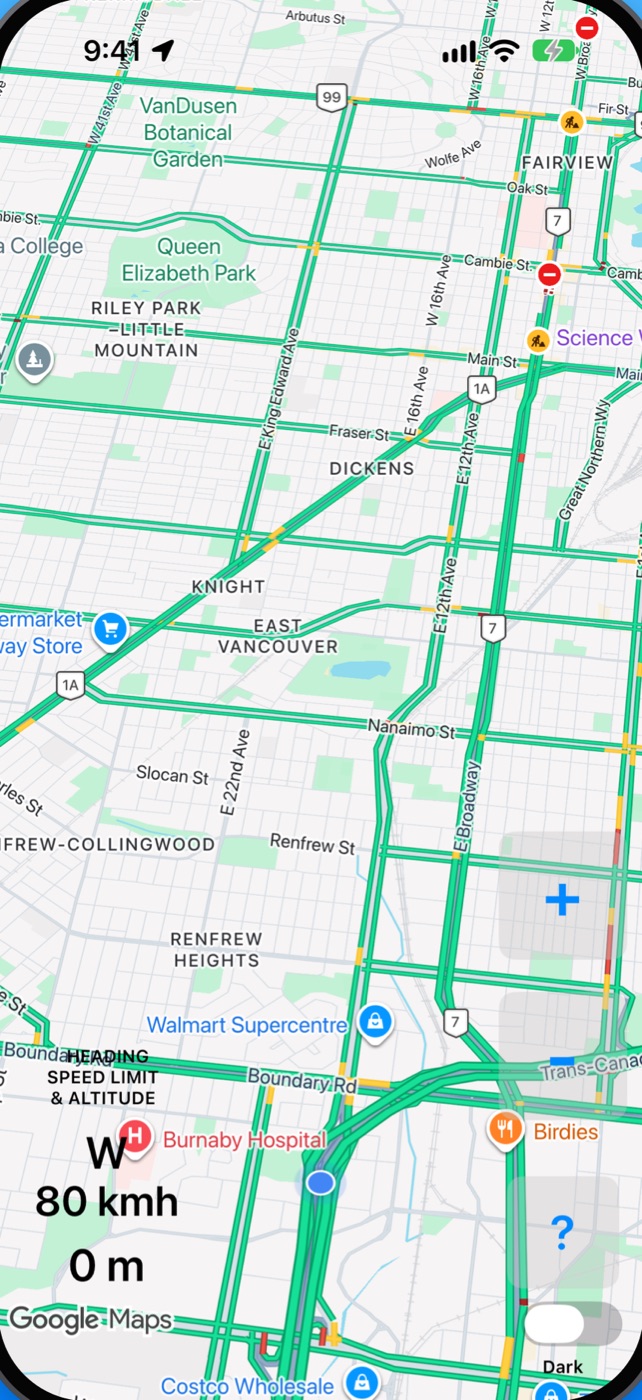
Open it, mount it, drive.
No search, no directions, no prompts. HeadsUp Drive is for the drives where you already know the way, and just want to see what’s coming.
Looks far ahead
A tilted, chase-plane view with your blue dot low on the screen, so you see much more of the road ahead than behind.
Turns with you
The map turns by itself to face the way you’re heading. Nothing to set up, nothing to re-centre.
Hands on the wheel
The only controls are big + and − buttons to zoom, and a Dark switch. That’s on purpose.
See the slow-downs long before you reach them
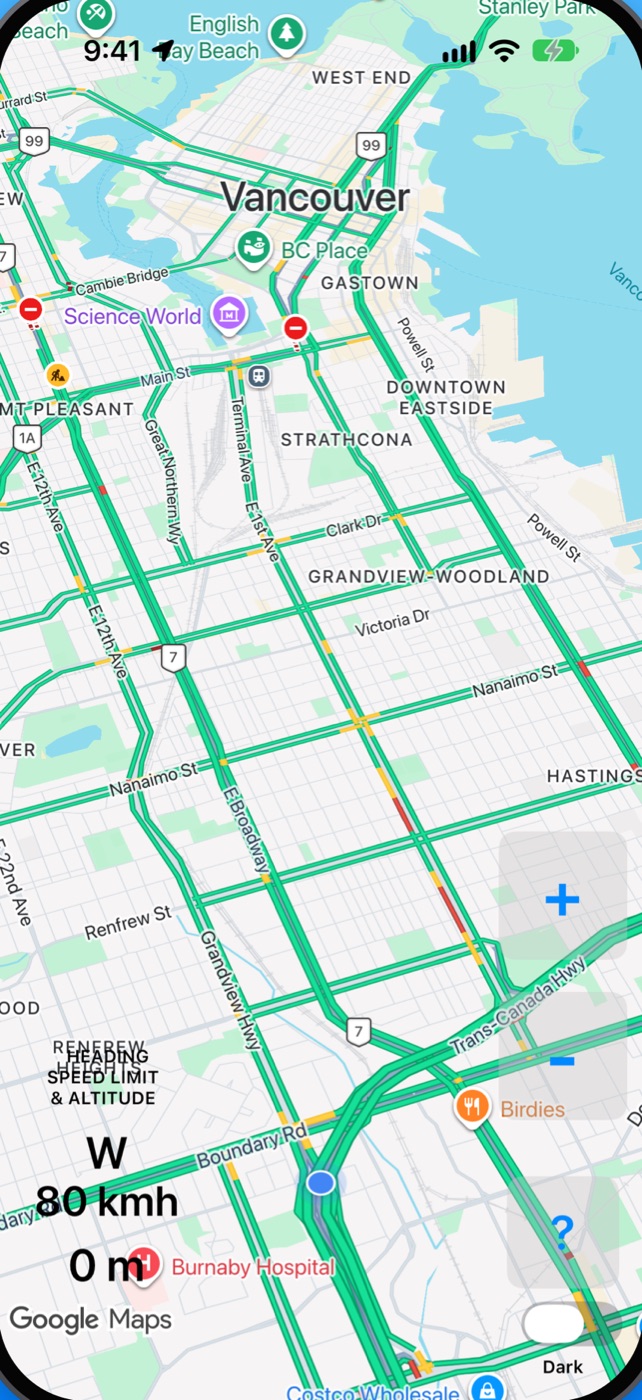
The traffic comes from Google Maps. Zoom out on the highway and you can spot a snarl-up 20 minutes or an hour ahead — with time to take another route, or stop for dinner.
- Traffic flowing smoothly
- Slowing down
- Heavy traffic
- Stop-and-go
Roads with no colour have no traffic report — usually quiet streets.
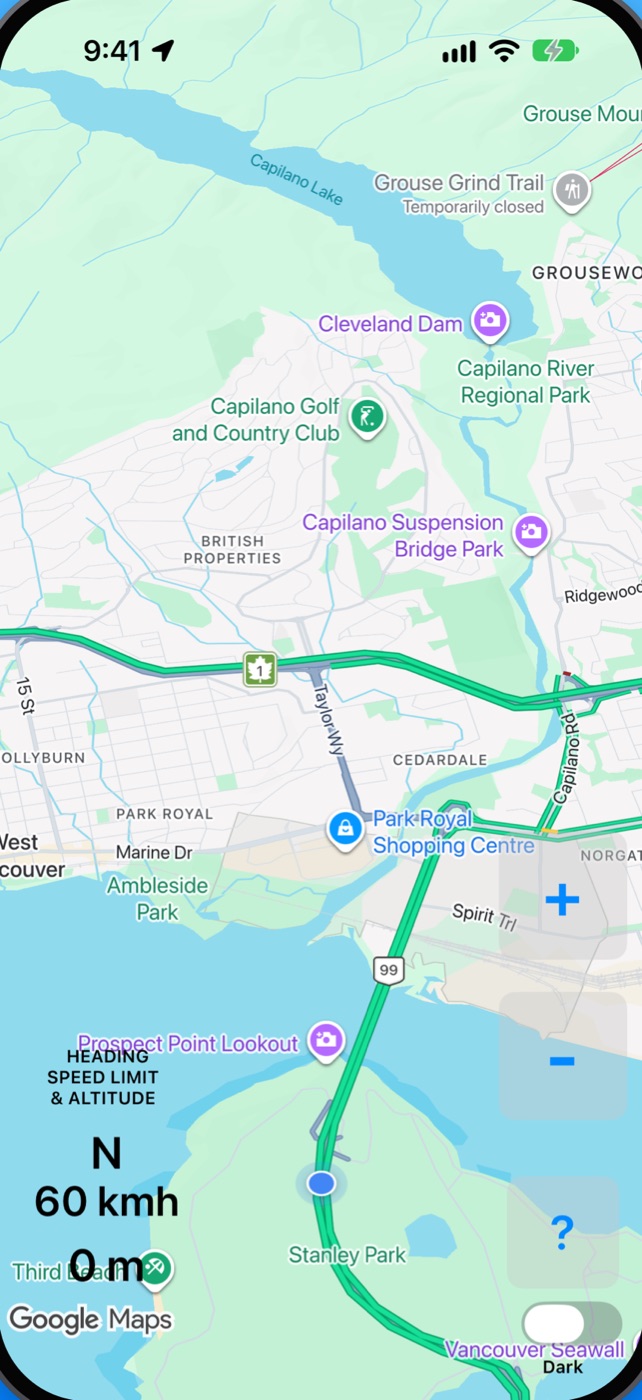
Heading, speed limit & elevation
Three readouts in the lower-left corner, easy to take in at a glance.
- SWThe way you’re heading.
- 80The speed limit of the road you’re on, in km/h — from OpenStreetMap, fetched for the road ahead as you drive.
- 350 mYour elevation. Handy in the mountains, to see where the snow line is.
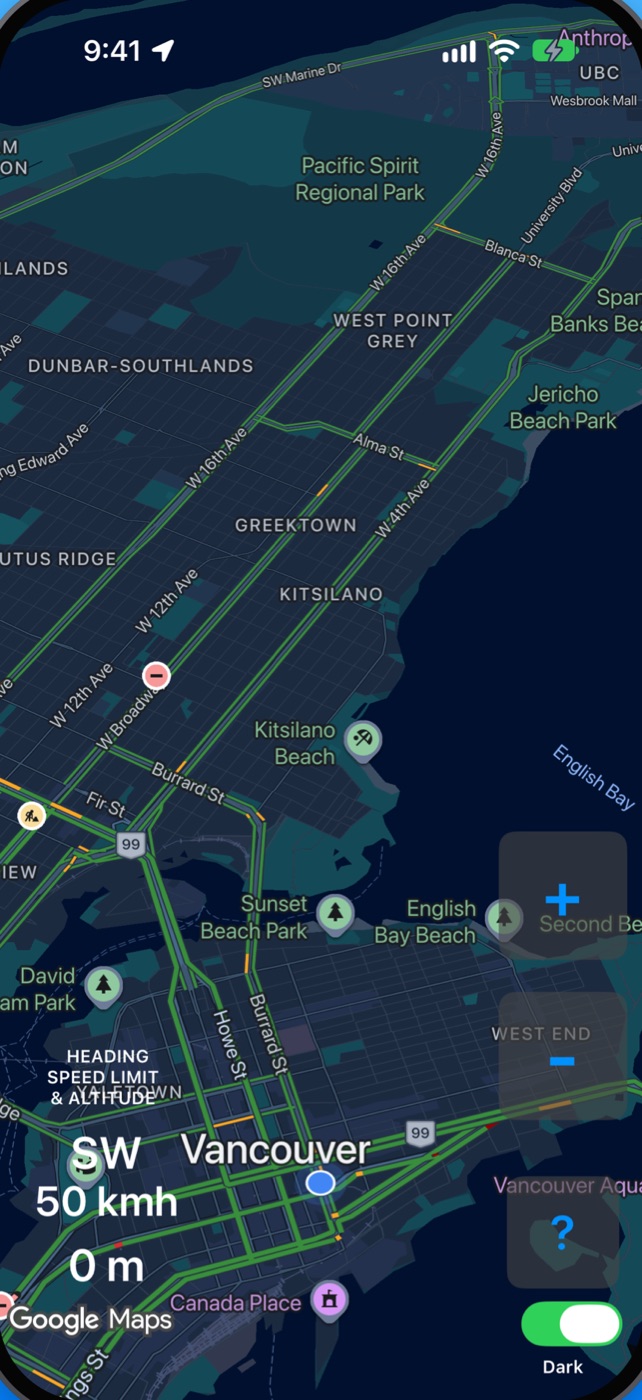
Dark Mode for night driving
Flip the Dark switch, just under the ? button, for a night map that’s easy on the eyes after sunset — and doesn’t light up the car.
Mount it where you can glance at it
HeadsUp Drive works best in a windscreen mount, in the corner of your eye — like an extra gauge on the dashboard. The screen stays on while the app is open, so plug in on long drives.

“I built HeadsUp Drive in 2013, when I was driving in traffic a lot. I still use it every time I drive — to see snarl-ups long before I reach them, and where the snow line is as I drive around British Columbia.”
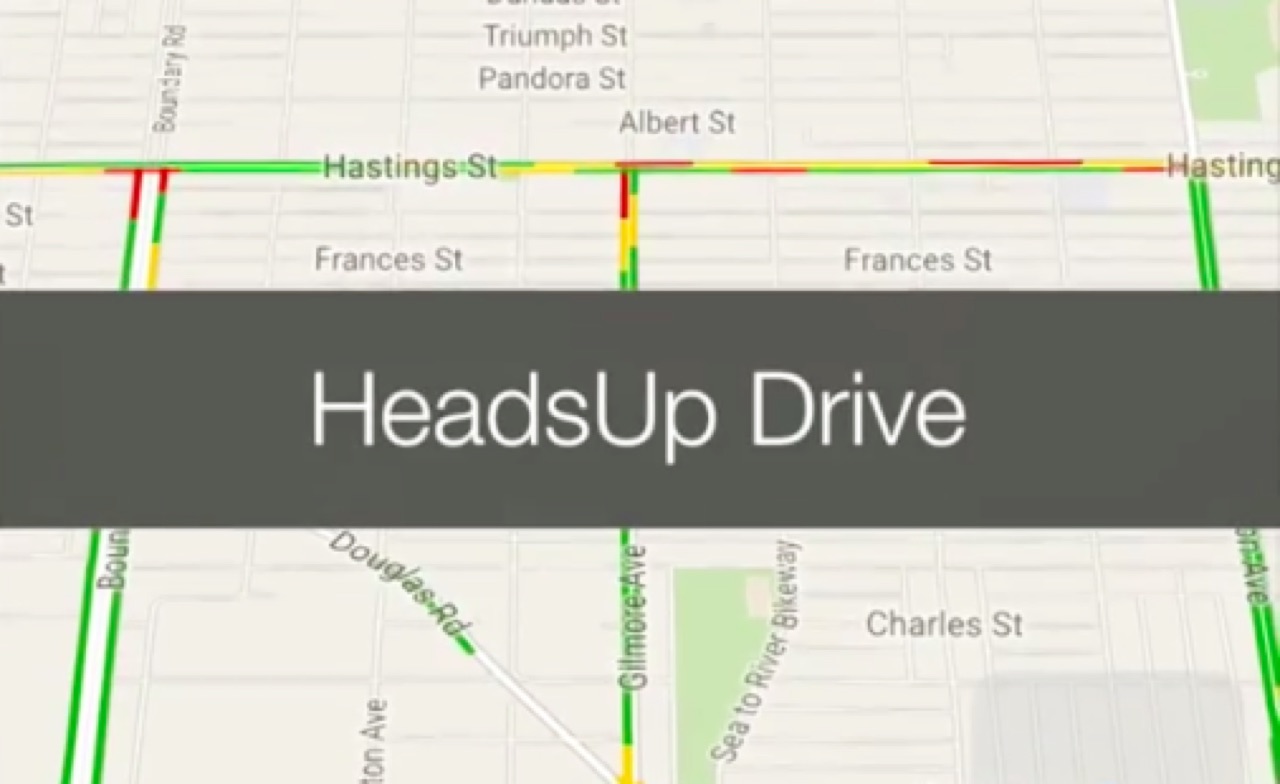
See it on a busy traffic day
A short video of HeadsUp Drive in action, from the app’s early days.
Watch the videoSame great traffic. Far less to fiddle with.
The traffic is Google’s, but HeadsUp Drive leaves out search, routes and prompts, and doesn’t need re-zooming every day. For everyday driving, doing less is the point.
Drive safely. Glance, don’t stare, and never fiddle with your phone while moving — set it up before you go. Traffic and speed limits can be out of date: trust the road and the signs.
Get HeadsUp Drive
Open it, mount it, and drive. For iPhone and iPad.